New Delhi, August 19, 2019, Monday
The currency of the online payment app has grown tremendously at present. People use the payment app like Bhima, Google Pay, PhonePay, Paytm etc. But use caution when using this app. Because of these apps, vigorous hackers have begun to loot people. So let's know today all the information about payment apps.
Who becomes the victim
This type of fraud happens to people who use the payment app. The currency of such an app has gone up for digital taking. However, some people do so because of fashion or hobby. But such people are deceived because they do not even know the correct way to use the app. Nowadays, however, hackers try to trick people with intelligence. They pay without having to read the details.
The loss of millions
Each payment is linked to an App Bank account. Some companies like Paytm, Ola, Amazon also work directly with digital wallets. KVC is also required for each app. Only then can any user make up to 1 lakh transactions a day. Hackers can even fly 1 million if not careful.
Payment app security
Each payment app is protected in two ways. The first MPIN and the second UPI pin. MPins are four or six digits. No payment can be made without this PIN. A pin is required for the app while in others it is optional. MPN is also required to open the app. UPI pins are four or six digits. Money cannot be sent to anyone without UPI and the account balance cannot be checked. The pins are required only for pay.
This is how Fraud happens
1. Fraudster first finds his prey on a website like OLX. He calls the person and pretends to buy expensive goods.
2. He also decides the price by manipulating and tempting the person in front.
3. After talking about the price of the salmon, he talks about sending the price using the payment app. Then the payment asks for the app name and its number. The person who sells the goods also gives the number associated with the payment app.
4. After the deal has been finalized, the hacker sends a request for the user to talk to the phone instead of paying for the token money. Sends this message asking him to add UPI PIN and OK.
5. The person selling the goods cannot read the message carefully while talking. With the payment app, a fraudster can transfer money to his account. The user even calls the person knowing this, but the phone goes off.
Keep an eye on these things
1. If you send money to a person through the payment app then they need MPN or UPI. Without these two, a transaction cannot happen.
2. UPI is also an equally important thing as a user sign. As no money can be deposited or deposited in the bank without UPI, no work can be done without this PIN.
3. Remember that no need to OK any message if someone sends money from the app.
4. In the payment app, the name of the request is fraudulent. If you receive a message it may be in the form of a payment. If you click on Pay on such a message the money from your account is gone.
Be aware of these things
Bank not responsible: Caution is required when using the payment app. According to the RBI, the bank is not responsible if the payment app user UPI pins and then withdraws money from his account. In this case, the first responsibility of the user is to be vigilant.
Keep a small amount in an account: Don't put too much money in the payment app. Keeping a large amount of payment in the app will increase its risk. If you open a new bank account, you must keep 15 to 20 thousand rupees. So if something goes wrong, no big damage.
Use of Bank App: Payment App is a Third Party App ie Bank is not an Official App. However, at present, most banks provide their own app. Only use a bank app as long as possible. So that if there is any complaint, the bank can bring it to redress.
Not caught fraudster: Fraudster creates fake documents and opens accounts in small banks. Also buy fake SIM. They fill the bank details on their mobile. They then deposit the money to the people in their own account. And withdraws it with an ATM card. However, they do not fall into the trap as the documents are fake.
Avoid this by the fraudster
Bhim
Bhima app is most commonly used for sending or receiving money through UPI. People who ask for money are sent a request. The request states the amount the person is seeking. If the user refuses to do so, the amount goes to the person's account against the amount and if the request is to be deducted, the amount will not be transferred. In this app, users also get the option of Decline + Block Sender. If it is clicked, the transaction is canceled and the account of the victim is also blocked.
Paytm
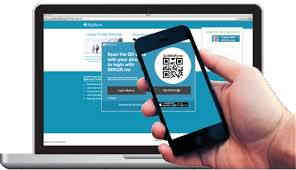
QT code is sent to the person asking for money when the money is being exchanged with Paytm. That amount is written between the QR codes. Scanning this code will result in a transaction. Paytm also has a link to the QR code. Which can also be sent to you in a message, in Facebook, in WhatsApp. So it's best not to click on the link.
Phone pay
Use of this app has increased dramatically over the past few years. The person asking for money uses the requested option and sends it to the user. When such a message is received, there is also the option of pay, letter and declaration. So make sure you understand it before choosing any option. In this app you need to add UPI PIN for the transaction.
Google Pay
This payment app was previously named Tez. This app seems to work if you have to pay anywhere. In this app, when the request for payment comes, it also shows the photo of the person asking for money. Clicking on it shows the amount that he is asking for and the following is Pay and Decline. The user should look at the request sender's photo carefully. In case of doubt, do not put UPI PIN and stop payment.
Comments
Post a Comment
What you think give us your idea about this article we publish your words on our site